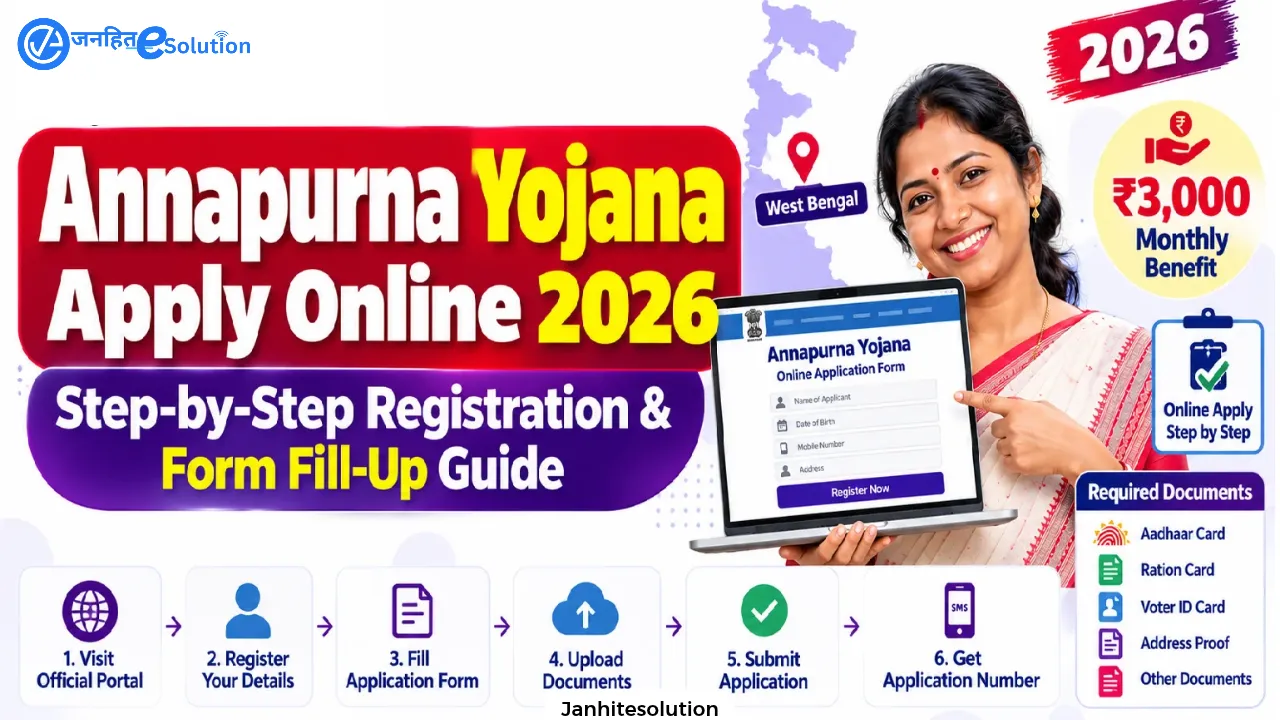
The Government of West Bengal allows citizens to apply for the Annapurna Yojana (widely termed Annapurna Bhandar) directly Annapurna Yojana Apply Online through the centralized state social registry portal (socialregistry.wb.gov.in). Through this paperless single-window system, eligible women aged 25 to 60 can submit their household details, link their Direct Benefit Transfer (DBT) accounts, and apply for the monthly financial assistance of ₹3,000.
Applying online eliminates the need to stand in long physical queues at local municipal or block offices. This guide walks you through the entire Annapurna Yojana online apply process, portal prerequisites, section-by-section digital entry instructions, and troubleshooting common upload errors.
Table of Contents
Annapurna Yojana Online Application: Quick Overview
| Parameter | Official Details |
| Scheme Name | Annapurna Yojana / Annapurna Bhandar Scheme |
| Official Portal URL | socialregistry.wb.gov.in |
| Service Window | Public Access / Citizen Family Login |
| Monthly Assistance | ₹3,000 per month (via Aadhaar DBT) |
| Authentication Mode | Mobile Number + 6-digit OTP verification |
| Document Upload Format | JPG, PNG, or PDF (50 KB to 200 KB per file) |
| Eligibility Window | Female resident of West Bengal (Age: 25 to 60 years) |
Pre-Registration Checklist: What You Need Ready
Before opening the portal, keep the following credentials and files organized on your phone or computer to prevent session timeouts:
- Active Mobile Number: Must be accessible during registration to receive the 6-digit login OTP.
- Identification Proofs: Scanned copies of the Head of Family (HOF) and female applicant’s Aadhaar cards and Voter ID cards (EPIC).
- Voting Slip Data: Keep your election slip or EPIC ready to note your Assembly Constituency (AC) and Part Number.
- Digital Ration Card: Card number and designated category (AAY, PHH, SPHH, RKSY-I, or RKSY-II).
- Bank Account Details: Passbook copy of the female applicant showing Account Number, Account Holder Name, and IFSC Code. The account must be single-operated and DBT-enabled.
- Swasthya Sathi Card: Unique Registration Number (URN) and card scan (if enrolled).
- Document Size Compliance: All scanned files must strictly weigh between 50 KB and 200 KB.
For the complete, exhaustive checklist and file formatting rules, view our dedicated Checklist of Annapurna Yojana Required Documents.
Step-by-Step: How to Complete Annapurna Yojana Apply Online
Follow these sequential steps to register and submit your digital application:
1.Portal Login & OTP Verification:Access via socialregistry.wb.gov.in.
- Open your web browser and navigate to
socialregistry.wb.gov.in. - On the main screen, select Citizen / Family Login under Public Access.
- Select your District from the drop-down list.
- Enter your 10-digit mobile number, solve the visual security captcha, and click Request OTP.
- Enter the 6-digit OTP sent to your phone and click Verify and Continue to enter the family dashboard.
2.Enter Head of Family (HOF) Details:Mandatory religion selection.
- Personal Information: Enter the HOF’s full name as printed on their official ID, Date of Birth (
DD/MM/YYYY), and Gender. - Social Category & Religion: Select your social category (General/UR, SC, ST, or OBC). Next, choose your religion (e.g., Hinduism, Islam, Christianity). Note: Religion is a mandatory field marked with an asterisk.
- Disability Declaration: If applicable, indicate disability status, enter certificate details, and upload the disability certificate.
- Aadhaar Upload: Enter the HOF’s Aadhaar number and upload a clear scanned image (front side is acceptable, 50 KB–200 KB).
- Voter Card (EPIC) Upload: Enter the Voter ID number, Assembly Constituency, and Part Number. Upload the front copy of the Voter ID.
- HOF Bank Details: Input the Bank Name, IFSC Code, and Account Number.
3.Add Family Members & Nominate Applicant:Mark ‘Yes, I am applying’ for the female beneficiary.
- Click the Add Member button to enumerate each family member living under the same roof.
- Select whether the member is an Adult or Child, and define their relationship to the HOF.
- For dependent children under 5 years of age who do not hold an Aadhaar card, select the NA (Not Applicable) option.
- Crucial Nomination Field: When entering the details of the eligible adult woman (25–60 years), look for the field titled “Applying for Annapurna Yojana” and select “Yes, I am applying”.
- Enter her Aadhaar number, upload her Aadhaar copy, and enter her personal DBT-linked bank credentials.
4.Ration, Housing & Asset Disclosures:Property and food subsidy check.
- Ration Card: Check “Yes” if you have a digital ration card, select the category, enter the number, upload the file, and declare if your family collects monthly rations.
- Housing & Land Assets: Declare if your home contains more than three pucca rooms. Declare whether the family owns land (if yes, specify total land in decimals and upload the land document).
- Vehicles: Disclose ownership of any motorized non-commercial four-wheeler (car, jeep, or tractor). If yes, enter vehicle count and registration details.
5.Health Insurance, Income & Government Schemes:Swasthya Sathi and scheme transitions.
- Health Insurance: If covered under Swasthya Sathi, select “Government” insurance, enter your URN number, list ₹5 Lakh as sum assured, and upload the card scan.
- Income & Tax: Disclose whether any member pays Income Tax or Professional Tax, and enter PAN card numbers for adult members who hold one.
- Employment Profile: Choose employment sectors for adults. Housewives should select “Unemployed” or “Others”. Enter literacy status and highest educational qualification.
- Existing Scheme Transitions: If currently receiving benefits via DBT (such as Lakshmir Bhandar), declare the scheme. Benefits will transition automatically upon Annapurna Bhandar approval.
- Statutory Checkboxes: For CAA application status and SIR 2026 tribunal entries, general citizens should select Not Applicable.
6.Permanent Address & Final Submission:Save Application Reference ID.
- Enter your permanent address: District, Area Type (Urban/Rural), PIN Code, Police Station, Block/Municipality, and Gram Panchayat/Ward Number.
- Enter total annual household income and total counts of literate vs. illiterate adult members.
- Use Save Draft to store your entries, then click Preview to review the completed form.
- Check the Declaration & Consent box confirming all details are true.
- Click Submit Application.
- On the confirmation screen, click Download Form / Receipt to save and print your acknowledgment receipt showing your unique Application ID.
For troubleshooting on payment failures and status codes, read our dedicated guide on Annapurna Bhandar Status Check and Payment Tracking.
Important Notice for Prior Applicants for Annapurna Yojana Apply
The administrative department issued an advisory regarding online applications submitted during initial rollout phases:
Action Required for June 3, 2026 Submissions: Citizens who submitted applications on or around June 3, 2026, under the earlier portal version are requested to log back into
socialregistry.wb.gov.inand resubmit their application under the updated format to ensure proper data capture and avoid processing rejections.
Technical Specifications for Uploading Documents Online for Annapurna Yojana Apply
Failing to adhere to file upload restrictions is the primary technical cause of submission failures. Verify your files against these portal parameters:
| Document | Acceptable Formats | Required File Size | Upload Requirement |
| Aadhaar Card (HOF & Applicant) | JPG, PNG, PDF | 50 KB – 200 KB | Clear front side showing name and ID number |
| Voter ID Card (EPIC) | JPG, PNG, PDF | 50 KB – 200 KB | Front side displaying EPIC number |
| Digital Ration Card | JPG, PNG, PDF | 50 KB – 200 KB | Document showing category & family head |
| Swasthya Sathi Card | JPG, PNG, PDF | 50 KB – 200 KB | Front side displaying 17-digit URN |
| Land Record (RoR / Porcha) | JPG, PNG, PDF | 50 KB – 200 KB | Document showing decimal landholding |
Common Online Application Errors & How to Fix Them
- “File Size Exceeds Limit” Error: Scans straight from phone cameras often exceed 2 MB. Use a free online image compressor to bring the file size within the 50 KB to 200 KB range before uploading.
- OTP Not Received: If the SMS verification code does not arrive within 60 seconds, ensure your mobile number has active network reception. If the issue persists, clear your browser cache or switch to an alternate browser.
- Applicant Marked Only as Member: Ensure you do not skip the “Applying for Annapurna Yojana” radio button. If left unchecked, the woman is indexed only as a dependent family member, and no financial benefits will be processed.
- Automated DBT Rejection: Submitting a joint bank account or an account not mapped to Aadhaar via NPCI will block payment releases after administrative approval. Confirm your bank’s DBT status before entering your account number.
Important Links: Annapurna Yojana Apply
| Link Description | Target Resource / Action | Link / URL |
| Official Social Registry Portal | Main West Bengal Social Security & Family Portal | Visit Official Portal |
| Citizen Online Registration / Login | Apply Online via Mobile Number & OTP Verification | Open Citizen Login Portal |
| Online Application Step-by-Step Guide | Detailed Walkthrough for Digital Registration | Read Online Apply Guide |
| Official 11-Page Application Form (PDF) | Download Family Level Data Collection Booklet | Download Offline Form PDF |
| Offline Form Fill-Up & Submission Guide | Section-by-Section Instructions for 11-Page Form | Read Offline Form Fill-Up Guide |
| Official District Administration Notice | North 24 Parganas Family Data Collection Notice | View District Notice |
| Mandatory Documents Checklist | Complete 12-Item Document List & Scan Specs | Check Required Documents List |
| Application & Payment Status Tracker | Track Application Progress & Resolve 30/60-Day Delays | Track Application & Payment Status |
| Annapurna Yojana Master Guide | Comprehensive Overview of Scheme Rules & ₹3000 Benefit | View Full Article |
Frequently Asked Questions (FAQs) Annapurna Yojana
What is the official website to apply online for Annapurna Yojana?
The official portal for Annapurna Yojana Apply online applications is socialregistry.wb.gov.in under the Citizen / Family Login section.
Can Annapurna Yojana Apply online using my mobile phone?
Yes. The social registry portal is mobile-responsive. You can complete the application on a smartphone browser, provided you have clear scanned copies of your documents ready for upload.
Is there any application fee for Annapurna Bhandar online registration?
No. Registration and submission on the government portal Annapurna Yojana Apply are completely free of charge.
How will I know if my online application was submitted successfully?
Upon successful submission, the portal displays a confirmation screen showing your unique Application ID, submission timestamp, and a downloadable Acknowledgment Receipt.
How do I track my application after applying online?
Log into socialregistry.wb.gov.in and select Track Applicant Status. Enter your Application ID, Aadhaar number, or registered mobile number to check real-time verification and approval updates.