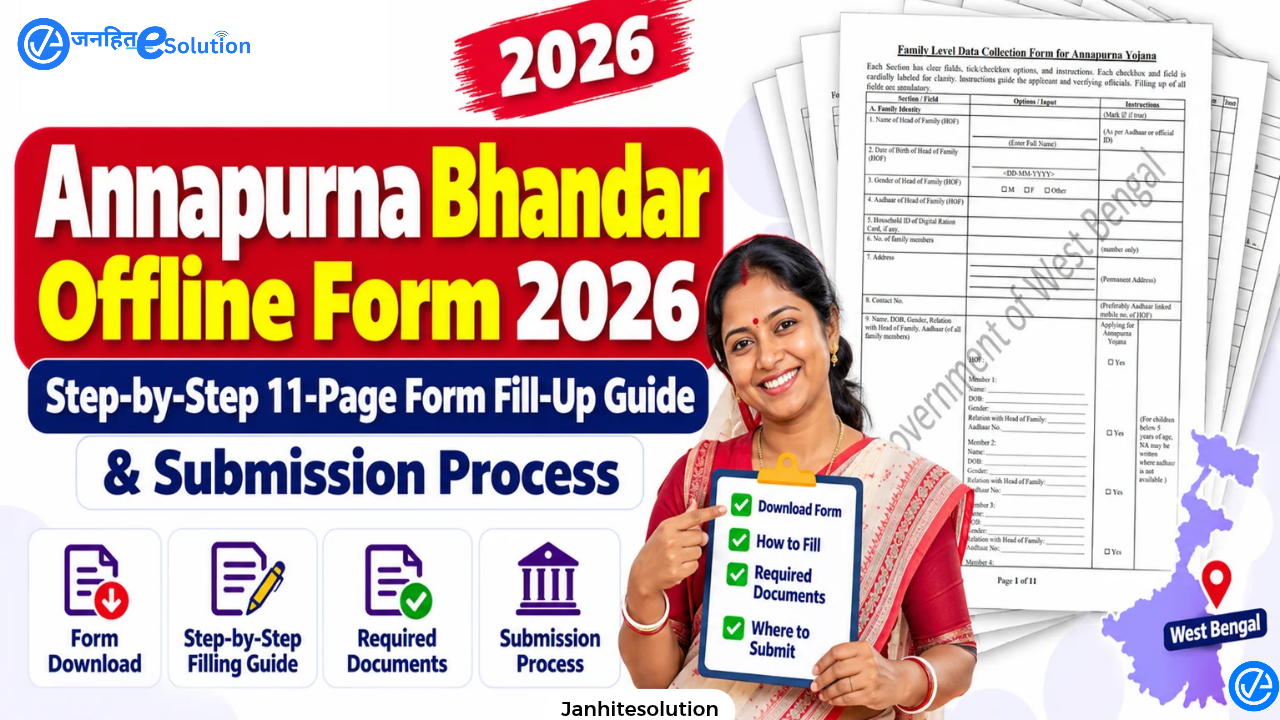
While the Government of West Bengal allows digital registration on the Social Registry Portal, a significant portion of applications for the Annapurna Yojana (widely termed Annapurna Bhandar) are processed offline. Citizens without internet access, or those attending local Duare Sarkar camps, Gram Panchayat offices, and municipal outreach counters, can apply using the physical 11-page Annapurna Bhandar application form.
Filling out this detailed multi-page document accurately is vital to avoid processing delays or rejection. This guide provides a section-by-section walkthrough for completing the offline English and Bengali form, compiling the mandatory enclosures, and securing your stamped physical acknowledgment receipt.
Table of Contents
Annapurna Bhandar Offline Form: Key Details
| Parameter | Official Specification |
| Form Name | Family Level Data Collection Form / Annapurna Bhandar Offline Form |
| Total Pages | 11 Pages (Pages 1–10 for Applicant; Page 11 for Official Use) |
| Languages Available | English and Bengali |
| Target Beneficiary | Adult women aged 25 to 60 years |
| Monthly Benefit | ₹3,000 per month via Direct Benefit Transfer (DBT) |
| Where to Collect Form | Duare Sarkar Camps, BDO Office, Municipality Office, Gram Panchayat |
| Authorized Signatory | Head of Family (HOF) (Mandatory signature/thumb impression) |
| Family level data collection for Annapurna Yojana Application form | Can Download From Here |
| Annapurna Yojana Detail | Read Here |
Essential Rules Before Filling Annapurna Bhandar Offline Form
- Use Block Letters: When filling the English version of the form, write strictly in clear BLOCK CAPITALS using blue or black ballpoint pen.
- Joint Family Assessment: If living in a joint household where meals are cooked in a shared kitchen, all members must be enumerated on the same application under one Head of Family (HOF).
- Single Bank Account Rule: The bank account submitted for the female applicant must be an individual (single) account, not a joint account, and must be actively seeded for Aadhaar Direct Benefit Transfer (DBT).
- Official Use Only: Do not mark or write anything on Page 11 of the booklet; it is strictly reserved for administrative scrutiny.
Page-by-Page Breakdown: How to Fill the 11-Page Annapurna Bhandar Offline Form
Page 1 & 2: Head of Family (HOF) & Family Member Matrix
1.Fill Head of Family (HOF) Details:
- Name of HOF: Write the full name of the family head exactly as printed on their official Aadhaar or voter card.
- Date of Birth & Gender: Record Date of Birth in
DD/MM/YYYYformat and mark the appropriate gender box. - Identity Proofs: Enter the HOF’s Aadhaar number and Digital Ration Card ID (if available).
- Contact & Address: Enter an active mobile number (preferably Aadhaar-linked) and the complete permanent residential address.
2.Complete the Family Member Table:
List all household members in sequential rows (Member 1, Member 2, Member 3, etc.) by order of seniority:
- Member 1 (Spouse / Eligible Applicant): Enter full name, Date of Birth, Gender, Relationship to HOF, and Aadhaar number.
- Scheme Nomination Checkbox (Crucial): In the column titled “Applying for Annapurna Yojana”, mark “YES” exclusively for the eligible female beneficiary. Leave it blank for male members and children.
- Children Under 5 Years: If a young child does not yet possess an Aadhaar card, write “NA” (Not Applicable) in the Aadhaar column.
Page 2 & 3: Bank Account Credentials & Electoral (EPIC) Details
1.Enter Bank Account Details:
Record bank account credentials for the HOF and all adult family members:
- Write the Bank Name (e.g., State Bank of India, Punjab National Bank).
- Fill in the exact Account Number and IFS Code directly from the first page of the passbook.
- Ensure the primary account nominated for the female applicant is active and mapped for Direct Benefit Transfer (DBT).
2.Enter Voter Card (EPIC) Details:
- Write the EPIC number (Voter ID) for every adult member aged 18 and older.
- Assembly Constituency & Part Number: Enter your AC name/number and electoral Part Number (these details are printed on election voting slips or can be verified via the electoral roll).
Page 3 & 4: Social Category, Digital Ration Card & Asset Audit
- Social Category: Tick the appropriate category box: SC, ST, OBC, or UR (Unreserved). If applying under the General category, select UR; no caste certificate is required.
- Digital Ration Card Category: Declare whether your family holds a digital card and select the specific category: AAY, PHH, SPHH, RKSY-I, or RKSY-II. Indicate whether the household regularly draws monthly food grains from the local ration shop.
- Housing Assets: Declare whether your home has more than three pucca rooms (Yes / No).
- Landholdings: Declare whether the household owns land. If yes, enter the total landholding measured in decimals as documented in recent land revenue records (RoR / Porcha).
- Vehicles: State whether any member owns a motorized non-commercial four-wheeler (car, jeep, or tractor). If yes, write the vehicle count and registration number.
Page 4 & 5: Health Insurance, Income, & Employment Profile
- Health Insurance (Swasthya Sathi): If covered under Swasthya Sathi, select “Government Insurance”, write Swasthya Sathi in the policy line, and enter ₹5 Lakh under sum assured.
- Income & Tax Disclosures: Declare whether any family member files Income Tax or pays Professional Tax. Provide PAN numbers for all adult members who hold one.
- Nature of Employment: Mark the employment status for each adult member (Government, Private Salaried, Self-Employed, Part-Time, or Unemployed). For housewives, select “Unemployed” or “Others”.
- Literacy Status: Record total counts of literate and illiterate adults. Any individual who can read, write, or sign their name is classified as literate. Record the highest educational level completed.
Page 6 to 9: Statutory Declarations & Social Status
- Constitutional & Government Service: Declare whether any member has held a constitutional post (Minister, MP, MLA, Municipality councilor, or Panchayat member) or receives a regular government pension.
- Existing Government Schemes: Declare if any member receives scheme benefits via DBT. If the applicant currently receives Lakshmir Bhandar, declare it. The benefit automatically transitions to the ₹3,000 Annapurna Bhandar tier upon approval.
- Child Education & Vaccination: Enter details for school-going children (Class/Grade, School Name, and Government/Private status). Record basic child immunization card status if applicable.
- Statutory Checkboxes (CAA / SIR 2026): For questions relating to Citizenship Amendment Act applications or SIR 2026 tribunal proceedings, general citizens should mark “Not Applicable” unless an active tribunal inquiry applies.
Page 10: Declaration, Consent & Signature
Section H contains the formal legal declaration confirming that all submitted household facts are true:
- Review Information: Ensure all names, dates of birth, and identity numbers match supporting photocopies.
- Check the Consent Box: Tick the declaration box agreeing to administrative verification.
- Signatory Requirement: The declaration must be signed or thumb-printed by the Head of the Family (HOF). The female applicant does not need to sign separately unless she is also designated as the HOF.
Page 11: Official Verification (DO NOT FILL)
Page 11 is labeled “End of Form / For Official Use Only”. Leave this page completely blank. It contains dedicated verification sections for:
- The Data Entry Operator (DEO) who digitizes the physical booklet.
- The field verification officer or Panchayat/Ward inspector.
- Final sanctioning remarks and stamps by the Block Development Officer (BDO) or Executive Officer.
Mandatory Documents to Enclose with the Annapurna Bhandar Offline Form
Securely staple clear, self-attested photocopies of the following documents to the back of your completed 11-page form:
| Document | Enclosure Requirement | Purpose |
| Aadhaar Card | HOF, Applicant, and all listed members | Primary identity and demographic verification |
| Voter ID Card (EPIC) | All adult household members (18+) | Electoral and residency confirmation |
| Digital Ration Card | All family members | Household food security mapping |
| Bank Passbook Copy | Female applicant | Front page showing A/C No., Name, and IFSC Code |
| Swasthya Sathi Card | Family unit copy | Health coverage and registry mapping |
| Caste Certificate | SC, ST, or OBC applicants only | Category verification (not needed for UR) |
| Land RoR / Porcha | Land-owning households | Verification of land size in decimals |
| Passport Photo | Female applicant | 1-2 recent colored photographs pasted on form |
For the complete, exhaustive checklist and file formatting rules, view our dedicated Checklist of Annapurna Yojana Required Documents.
Where to Submit the Annapurna Bhandar Offline Form & How to Get Your Acknowledgment
- Submission Counters: Submit the completed physical form along with your document bundle at:
- Dedicated Duare Sarkar camps organized in your municipal ward or gram panchayat.
- The Social Welfare Desk at your local Block Development Office (BDO).
- The administrative counter of your local Municipality / Municipal Corporation.
- Collect Stamped Acknowledgment: When submitting, ensure the receiving clerk detaches, stamps, signs, and hands back the Acknowledgment Slip printed at the bottom of the booklet.
- Preserve the Slip: This slip contains your physical receiving date and receipt tracking number, which serves as official proof of submission if your application requires follow-up.
Annapurna Bhandar Offline Form Verification Timelines & Common Errors
- 0 to 30 Days (Data Entry Phase): The physical application is keyed into the digital portal by block operators. You can start tracking your status online once digitized.
- 30 to 60 Days (Administrative Scrutiny): Field inspectors verify asset declarations, and bank details are checked against NPCI servers for active DBT seeding.
- Top Mistake to Avoid: Submitting a joint bank passbook or misspelling the applicant’s name relative to their Aadhaar card will stall treasury clearance. Always submit a single-holder, DBT-seeded bank account.
For a deeper dive into eligibility exclusions, check our detailed guide on the Annapurna Yojana Online Registration Process.
Important Links: Annapurna Yojana West Bengal
| Link Description | Target Resource / Action | Link / URL |
| Official Social Registry Portal | Main West Bengal Social Security & Family Portal | Visit Official Portal |
| Citizen Online Registration / Login | Apply Online via Mobile Number & OTP Verification | Open Citizen Login Portal |
| Online Application Step-by-Step Guide | Detailed Walkthrough for Digital Registration | Read Online Apply Guide |
| Official 11-Page Application Form (PDF) | Download Family Level Data Collection Booklet | Download Offline Form PDF |
| Offline Form Fill-Up & Submission Guide | Section-by-Section Instructions for 11-Page Form | Read Offline Form Fill-Up Guide |
| Official District Administration Notice | North 24 Parganas Family Data Collection Notice | View District Notice |
| Mandatory Documents Checklist | Complete 12-Item Document List & Scan Specs | Check Required Documents List |
| Application & Payment Status Tracker | Track Application Progress & Resolve 30/60-Day Delays | Track Application & Payment Status |
| Annapurna Yojana Master Guide | Comprehensive Overview of Scheme Rules & ₹3000 Benefit | View Full Article |
Frequently Asked Questions (FAQs) Annapurna Bhandar Offline Form
Where can I get the 11-page Annapurna Bhandar Offline Form?
Physical application forms are distributed free of charge at local Duare Sarkar outreach camps, Gram Panchayat offices, and BDO/Municipality administrative counters.
Can I fill out the Annapurna Bhandar form in English?
Yes. Both Bengali and English versions of the form are valid. When filling the English form, use clear capital letters.
Does the female applicant have to sign the form?
Section H (Declaration & Consent) requires the signature or thumb impression of the Head of the Family (HOF). The female applicant only signs if she is also the designated HOF.
What if my child under 5 does not have an Aadhaar card?
In the family member matrix on Page 1, write “NA” (Not Applicable) in the Aadhaar column for any dependent child under the age of five.
How do I track my offline application after submission?
Once the block data entry operator digitizes your paper form, you can track its progress on socialregistry.wb.gov.in using the applicant’s Aadhaar number or mobile number.