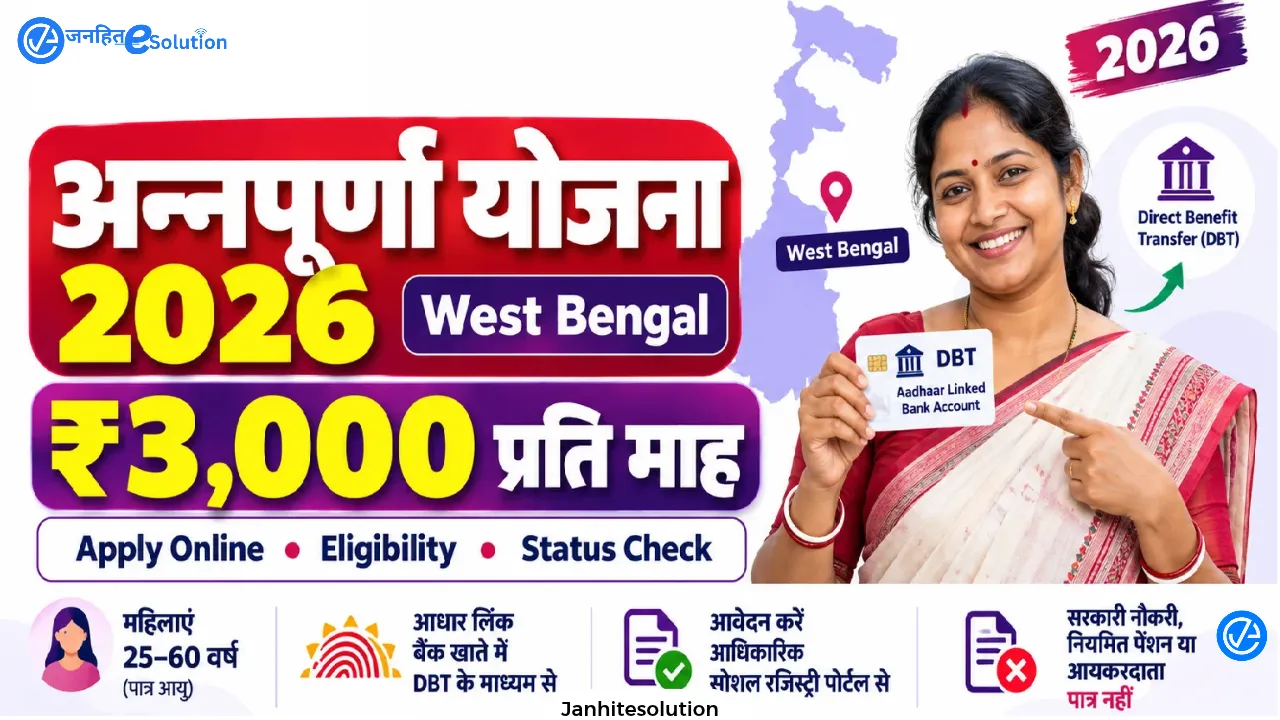
The Government of West Bengal has structured social welfare support through the comprehensive rollout of Annapurna Yojana West Bengal 2026. Designed to enhance financial independence among women across the state, this program provides direct income assistance directly into individual bank accounts.
Often referred to in administrative and public updates as Annapurna Bhandar (or the Annapurna Bhandar Yojana), the scheme expands on earlier women support frameworks by enhancing monthly financial benefits to ₹3,000 per month (Annapurna Yojana ₹3000 / Annapurna Bhandar 3000) and modernizing the delivery mechanism. Understanding the online application workflow, offline 11-page form requirements, eligibility verification, document prerequisites, status tracking, and payment verification methods allows citizens and digital service operators to access benefits without administrative delay.
Overview of Annapurna Yojana West Bengal
Administered by the Department of Women and Child Development and Social Welfare, Annapurna Yojana West Bengal acts as a unified social security program. Under this scheme, registered women receive reliable monthly financial assistance designed to cover daily household expenses, healthcare needs, and personal security.
In public discourse and localized administrative channels, the initiative is widely known as the Annapurna Bhandar Yojana. Beneficiaries previously covered under state assistance programs, as well as newly registered female citizens, are brought under this structured framework. By transitioning record management to the integrated state registry (socialregistry.wb.gov.in), the government aims to eliminate duplicate accounts, remove documentation bottlenecks, and ensure uninterrupted transfers through Direct Benefit Transfer (DBT).
Key Benefits of the Annapurna Bhandar Scheme
The primary highlight of the program is the guaranteed financial assistance provided directly to eligible women.
- Enhanced Monthly Assistance: Under Annapurna Yojana 3000, eligible women receive financial assistance of ₹3,000 per month (Annapurna Bhandar 3000), totaling ₹36,000 annually and establishing a stable household income source.
- Direct Benefit Transfer (DBT): All payments under Annapurna Yojana DBT are disbursed directly to Aadhaar-seeded, single-operated savings bank accounts, eliminating intermediaries and administrative deductions.
- Transition from Lakshmir Bhandar: The scheme represents an upgraded assistance tier for women in the 25–60 age group. Existing beneficiaries of Lakshmir Bhandar transition to the enhanced ₹3,000 monthly benefit once their family registry application is updated and approved.
- Universal Household Coverage: The West Bengal Annapurna Bhandar framework allows eligible adult women from General (UR), SC, ST, and OBC categories to receive equal support, provided general statutory exclusions do not apply.
- Streamlined Digital Records: Beneficiaries registered on the Annapurna Yojana portal remain indexed within the single-window state family registry, making future social security entitlements and verifications automatic.
Annapurna Yojana Eligibility Criteria
To maintain transparency and target genuine beneficiaries, the state has established precise parameters under the Annapurna Yojana eligibility criteria:
| Parameter | Requirements & Official Guidelines |
| Residency | Must be a permanent resident of West Bengal. |
| Gender | Exclusively applicable to female applicants. |
| Age Limit | Applicants must fall strictly within the age limit of 25 to 60 years (verified via official Aadhaar card date of birth). |
| Family Enumeration | Applications are processed on a family-unit basis anchored by an identified Head of Family (HOF). Joint families sharing a single kitchen are registered under one consolidated form. |
| Employment Exclusion | Regular government employees, public sector staff, contract employees under statutory bodies, and recipients of formal government pensions are ineligible. |
| Tax Status | Families with active Income Tax or Professional Tax filing status cannot participate in the Annapurna Bhandar scheme. |
| Asset Restrictions | Households owning more than three pucca rooms, holding non-commercial four-wheelers (car/jeep/tractor), or possessing large landholdings are excluded. |
| Banking Setup | The applicant must possess an individual (single-holder) bank account linked with Aadhaar and mapped via NPCI/DBT. Joint accounts are automatically rejected. |
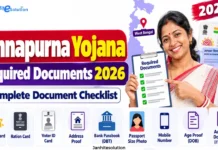
Annapurna Yojana Required Documents (Complete 12-Item Checklist)
Having verified identification files ready ensures that applications pass scrutiny during preliminary verification. For online uploads, scanned files must be in JPG, PNG, or PDF format with file sizes strictly between 50 KB and 200 KB.
- Aadhaar Card: Mandatory identity proof for the Head of the Family (HOF), the female applicant, and all household members. (Note: For children under 5 years of age who do not yet have an Aadhaar card, mark “NA” / Not Applicable).
- Voter Identity Card (EPIC): Mandatory proof of electoral registration within West Bengal for all adult members (18+), including the Assembly Constituency (AC) and Part Number (obtainable from voting slips).
- Digital Ration Card: Digital ration card copy for all family members (indicating card type: AAY, PHH, SPHH, RKSY-I, or RKSY-II).
- Bank Passbook Copy: Clear copy of the front page showing Account Number, Account Holder Name, IFSC code, and Branch. The account must be in the applicant’s single name and active for Direct Benefit Transfer.
- Swasthya Sathi Card: Required for family data mapping in the state registry database. Provides health insurance details and Unique Registration Number (URN).
- Caste Certificate: Mandatory only for applicants claiming benefits under SC, ST, or OBC categories. General category applicants select UR (Unreserved) and do not require a caste certificate.
- Land Document (RoR / Porcha): Required if the family owns land, showing the total landholding size measured in decimals from the Land Reforms Revenue Department.
- Vehicle Registration Document: Required only if the household owns any commercial or non-commercial vehicle.
- PAN Card: Mandatory for all adult earning or registered members holding an active PAN card.
- Active Mobile Number: Must be linked to Aadhaar for OTP verification, login credentials, and real-time SMS status notifications.
- Credit / Scheme Cards (KCC / ARD KCC): Copy of Kisan Credit Card or Artisan Credit Card if held by any household member.
- Passport-Sized Photograph: Recent color passport photograph of the female applicant.
For the complete, exhaustive checklist and file formatting rules, view our dedicated Checklist of Annapurna Yojana Required Documents.
Annapurna Yojana Apply Online: Step-by-Step Registration
New applicants can submit applications through the official single-window digital portal. Follow these steps to complete the Annapurna Yojana online apply procedure:
Step 1: Access the Official Portal & Citizen Login
- Navigate to the official portal:
socialregistry.wb.gov.in. - Select Public Access / Citizen Family Login on the landing screen (do not select Department Officer Login).
- Select your District from the drop-down list.
- Input your 10-digit mobile number and enter the security captcha code.
- Click Request OTP, enter the 6-digit OTP received via SMS, and click Verify and Continue.
Step 2: Head of Family (HOF) Demographic Record
- Enter the full name, Date of Birth (DD/MM/YYYY), and Gender of the Head of the Family as printed on their official ID.
- Select the Social Category (General/UR, SC, ST, OBC).
- Mandatory Religion Field: Select your religion (e.g., Hinduism, Islam, Christianity, etc.). This is a mandatory field marked with an asterisk.
- Enter an Aadhaar-linked active contact number.
- Declare disability status: If Persons with Disabilities (PwD), enter disability certificate details, percentage, and upload the certificate.
- Enter the HOF’s Aadhaar number and upload a clear scanned copy (size strictly between 50 KB and 200 KB).
- Enter Voter ID (EPIC) details: Epic Number, Assembly Constituency (AC), and Part Number (from your voting slip), then upload the front copy of the Voter ID card.
- Enter HOF bank credentials: IFSC Code, Bank Name, and Account Number.
Step 3: Add Family Members & Nominate the Applicant
- Click the Add Member button to add other household members (spouse, children, dependents).
- Choose whether the member is an Adult or Child, and define their relationship to the HOF.
- For children under 5 without an Aadhaar card, select “NA”.
- Critical Scheme Nomination Step: Locate the field titled “Applying for Annapurna Yojana” next to the eligible woman’s name and select “Yes, I am applying”.
- Enter the female applicant’s personal Aadhaar-seeded bank account details (Bank Name, Account Number, IFSC) and upload her Aadhaar card.
Step 4: Ration, Asset, and Health Insurance Declarations
- Digital Ration Card: Select “Yes”, choose your card category (AAY, PHH, SPHH, RKSY-I, RKSY-II), enter the card number, upload the file, and declare whether the family regularly draws monthly rations.
- Housing & Land Assets: Declare if the home has more than three pucca rooms. Declare whether the family owns land (if yes, specify total land in decimals and upload the land document).
- Four-Wheelers: Declare if any member owns a motorized non-commercial four-wheeler (car, jeep, tractor). If yes, enter vehicle count and registration numbers.
- Health Insurance: If covered under Swasthya Sathi, select “Government” insurance, enter the URN number, enter ₹5 Lakh as sum assured, and upload a scanned copy of the Swasthya Sathi card (50 KB – 200 KB).
Step 5: Income, Employment & Statutory Disclosures
- Declare if any member pays Income Tax or Professional Tax, and enter PAN card details for adult members who hold one.
- Select the employment category for each adult member. For housewives, select “Unemployed” or “Others”. Enter literacy status and highest educational qualification.
- Complete statutory declarations regarding constitutional posts (MP/MLA), government pensions, and GSTIN registration.
- For CAA application status and SIR 2026 tribunal status, select Not Applicable if not under tribunal proceedings.
- Existing Schemes: If currently receiving benefits via DBT (such as Lakshmir Bhandar), declare the scheme. Upon Annapurna Bhandar approval, benefits will transition smoothly.
Step 6: Permanent Address & Final Submission
- Provide the complete permanent address: District, Area Type (Urban/Rural), PIN Code, Police Station, Block/Municipality, and Gram Panchayat/Ward Number.
- Enter total annual household income and total counts of literate vs. illiterate adult members.
- Review all details using Save Draft and Preview.
- Check the Declaration & Consent box confirming all statements are accurate.
- Click Submit Application. Download and print the Acknowledgment Receipt containing your unique Application ID and submission timestamp for future tracking.
Important Portal Notice: Citizens who successfully submitted their application on or around June 3, 2026 under the earlier format must log into
socialregistry.wb.gov.inand resubmit their application under the updated format to avoid administrative rejection.
For a deeper dive into eligibility exclusions, check our detailed guide on the Annapurna Yojana Online Registration Process.
Annapurna Bhandar Offline Form (11-Page Application Guide)
Applicants who cannot access the digital portal can complete a physical Annapurna Bhandar application form during municipal outreach camps, Duare Sarkar editions, or directly at local Block Development Officer (BDO) and Sub-Divisional Officer (SDO) administrative desks:
Local district administrations, such as North 24 Parganas, have issued official notices directing citizens to collect or download the official 11-page booklet.
- Official Notice Reference: North 24 Parganas Annapurna Yojana Family Level Data Collection Form Notice
- Official Form PDF: Download the 11-Page Application Booklet (PDF)
- Form Availability & Language: The 11-page offline application form is available in both English and Bengali. When completing the English form, write legibly in BLOCK CAPITALS using blue or black ballpoint ink.
- Section A (Head of Family): Enter the HOF’s full name, date of birth, gender, Aadhaar number, digital ration card ID, and permanent address as recorded on official documents.
- Section B (Family Matrix): Complete the table for all members in order of seniority (HOF, Wife/Applicant, Children). Under the column “Applying for Annapurna Yojana”, mark “YES” specifically for the eligible female beneficiary.
- Banking Section: Enter the primary savings account details for the HOF and all adult members. The account for the applicant woman must be verified as DBT-linked.
- Voter & Asset Sections: Record Voter Card EPIC numbers, Assembly Constituency (AC), and Part Numbers for all adults. Fill out the housing, landholding (in decimals), four-wheeler, and Swasthya Sathi declarations.
- Section H (Declaration & Signature): The legal declaration must be signed or thumb-printed exclusively by the Head of the Family (HOF). The female applicant does not need to sign separately unless she is also designated as the HOF.
- Page 11 (Official Use Only): Leave the final 11th page completely blank. This section is reserved for the Data Entry Operator, verifying inspector, and BDO/Executive Officer sign-offs.
- Submitting and Securing Acknowledgment: Staple self-attested photocopies of all 12 supporting documents to the form. Submit it at your local office and ensure you receive the official, stamped Acknowledgment Slip with a physical receiving number and date.
Confused by the 11 pages? Follow our section-by-section Annapurna Bhandar Offline Form Fill-Up Guide.
How to Check Annapurna Bhandar Status Online
Once an application is submitted, tracking its progress ensures prompt rectification if any clerical discrepancy arises. Beneficiaries can run an Annapurna Bhandar status check online using the administrative portal.
Step-by-Step Status Verification:
- Visit the Status Portal: Open the official portal (
socialregistry.wb.gov.in) and select the dedicated option for Annapurna Yojana status check or “Track Applicant Status”. - Input Identification Parameter: Choose your preferred lookup credential:
- Application Reference ID
- Registered Mobile Number
- Aadhaar Number
- Swasthya Sathi Card Number
- Submit Verification Details: Enter the required security captcha code and click Search / Submit.
- Review Application Status: The portal will display your real-time Annapurna Bhandar application status, indicating whether the record is Under Process, Pending Field Verification, verified by the BDO/SDO, or Approved.
For detailed troubleshooting on payment failures and status codes, read our dedicated guide on Annapurna Bhandar Status Check and Payment Tracking.
Tracking Annapurna Bhandar Payment Status & Disbursement Dates
Beneficiaries whose applications are already approved can track payment cycles and monthly installments directly:
- Online Portal Lookup: Log in using the registered mobile credential on the Annapurna Yojana portal to review the latest Annapurna Bhandar payment status. Disbursed dates, transaction reference numbers, and credited account numbers will be displayed.
- PFMS and DBT Portals: Since financial transfers use DBT pathways, beneficiaries can also monitor Annapurna Yojana payment status through the Public Financial Management System (PFMS) under “Know Your Payments” or via bank-issued SMS alerts.
- Disbursement Calendar: Monthly installments typically process around the middle of each month (between the 15th and 17th), timed to credit ahead of major regional festivals and holidays.
- NPCI Bank Mapping Verification: If your Annapurna Yojana beneficiary status shows as approved but the monthly ₹3,000 credit is delayed, confirm with your bank branch that your Aadhaar number is actively linked to the Direct Benefit Transfer (DBT/NPCI) payment pipeline.
Troubleshooting Application Status Delays (30, 60, and 90 Days)
If your application status has not updated or monthly funds have not arrived, take action based on the timeline below:
1. Within 30 Days (Status: “Under Process”)
- Reason: Data Entry Operators and block-level verifying authorities are systematically validating documents against civil records.
- Action: A processing window of 3 to 4 weeks is normal. Do not panic; continue monitoring your status online periodically.
2. At 60 Days / 2 Months (Status: “Pending” or “Under Process”)
- Reason: Applications often show “Under Process” online even when physically approved by the BDO/SDO, because payment cannot clear due to an inactive Aadhaar DBT link or a minor name spelling mismatch between the Aadhaar card and bank passbook.
- Action:
- Visit your Gram Panchayat, Municipality, or BDO welfare office with your acknowledgment slip to check physical roster approvals.
- Visit your bank branch immediately to ensure the account is active, single-operated, and seeded with Aadhaar on the NPCI mapper for DBT credits.
3. At 90 Days / 3 Months (Status: “Rejected” or Payment Delayed)
- Reason: Application stalled due to administrative backlog or erroneous rejection.
- Action:
- Log into the Annapurna portal and submit a formal claim/grievance through the online grievance window.
- Submit a detailed, written complaint along with copies of your acknowledgment slip, Aadhaar, and bank passbook directly to the office of your Sub-Divisional Officer (SDO) or District Magistrate (DM). Many genuine applicants have their status approved following formal administrative claims.
Common Application Pitfalls to Avoid
Delays and rejections typically stem from simple procedural discrepancies. Keep these practical factors in mind:
- Joint Bank Accounts: The department strictly mandates individual (single) bank accounts in the female applicant’s name. Submitting a joint account with a spouse or relative results in automated DBT payment failure.
- Name Spelling Mismatch: The spelling of the applicant’s name across the Aadhaar card, Voter ID, and bank passbook must align without major discrepancies.
- Unchecked Scheme Nomination: Forgetting to select “Yes, I am applying” next to the female applicant’s name will register her only as a general household member rather than an Annapurna Bhandar claimant.
- Inactive Mobile Numbers: Critical verification alerts, renewal notices, and OTP requests are routed through the registered contact number; keep it active.
- Unmapped Bank Accounts: A standard bank account without active NPCI Aadhaar seeding cannot receive Direct Benefit Transfers even after departmental approval.
Important Links: Annapurna Yojana West Bengal
| Link Description | Target Resource / Action | Link / URL |
| Official Social Registry Portal | Main West Bengal Social Security & Family Portal | Visit Official Portal |
| Citizen Online Registration / Login | Apply Online via Mobile Number & OTP Verification | Open Citizen Login Portal |
| Online Application Step-by-Step Guide | Detailed Walkthrough for Digital Registration | Read Online Apply Guide |
| Official 11-Page Application Form (PDF) | Download Family Level Data Collection Booklet | Download Offline Form PDF |
| Offline Form Fill-Up & Submission Guide | Section-by-Section Instructions for 11-Page Form | Read Offline Form Fill-Up Guide |
| Official District Administration Notice | North 24 Parganas Family Data Collection Notice | View District Notice |
| Mandatory Documents Checklist | Complete 12-Item Document List & Scan Specs | Check Required Documents List |
| Application & Payment Status Tracker | Track Application Progress & Resolve 30/60-Day Delays | Track Application & Payment Status |
| Annapurna Yojana Master Guide | Comprehensive Overview of Scheme Rules & ₹3000 Benefit | View Full Article |
Frequently Asked Questions (FAQs)
What is Annapurna Yojana West Bengal 2026?
It is a state-sponsored social security program that provides ₹3,000 monthly financial assistance directly to eligible women residents aged 25 to 60 through electronic Direct Benefit Transfer (DBT).
How do I perform an Annapurna Bhandar status check?
Visit the official state registry portal (socialregistry.wb.gov.in), select the application tracking link, enter your Application ID, Aadhaar number, or registered mobile number, and view your current processing status.
Do existing Lakshmir Bhandar beneficiaries need to apply again?
Yes. To receive the enhanced ₹3,000 monthly benefit under Annapurna Bhandar, beneficiaries must ensure their family registry is updated and submit an application under the new format via socialregistry.wb.gov.in or at an outreach camp. Upon approval, benefits will transition smoothly.
What should I do if my Annapurna Bhandar payment status shows pending after 60 days?
Verify with your bank that your account is active and seeded with Aadhaar on the NPCI mapper. If banking credentials are valid, visit your local BDO or Municipality welfare desk with your acknowledgment receipt for physical record verification.
Can government employees apply for the Annapurna Bhandar scheme?
No. Permanent and contractual government employees, pensioners, and individuals from households paying income tax or professional tax are strictly excluded from the scheme.
Who must sign the offline Annapurna Bhandar application form?
The declaration in Section H must be signed or thumb-printed exclusively by the Head of the Family (HOF). The female applicant does not need to sign separately unless she is designated as the HOF.
Securing social benefits under state welfare initiatives requires following verified government processes and using official channels. Applicants should always access state services through designated government portals (socialregistry.wb.gov.in or wb.gov.in) or recognized civic facilitation desks, avoiding third-party agents or unverified digital links. Keeping your identity documents unified, maintaining an active Aadhaar-seeded bank account, and periodically reviewing your application status ensures seamless access to social protection benefits across West Bengal.